Performance -> Locked Objects
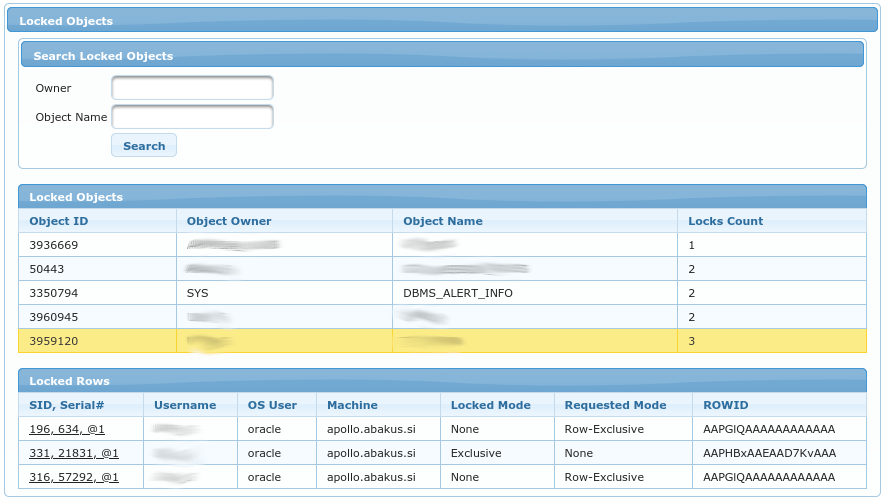
Search Locked Objects
Form allows searching for specific objects.
Owner- owner of the object that is being searched for.Object Name- name of the object that is being searched for.
Both fields are using LIKE operator, so you can use % as a wildcard.
Locked Objects
Table displays list of locked objects (according to filter in the form above).
Object ID- ID as specified indba_objects.object_idObject Owner- owner of the locked objectObject Name- name of the locked objectLocks Count- amount of locks that are held on this object
You can select any of the rows to refresh the child table Locked Rows.
Locked Rows
This is a child table of Locked Objects above. It displays list of rows locked in selected table (if object
is a table).
SID, Serial#- session id of the session that hold the lockUsername- lock holder usernameOS User- OS username of lock holder (refers tov$session.os_usercolumn)Machine- Machine of lock holder (refers tov$session.machinecolumn)Locked Mode- In what mode the lock is acquiredRequested Mode- In what mode the lock is requested, but not yet acquiredROWID- of the row being locked (when available and when appropriate for the lock type)