Performance -> SQL Statements
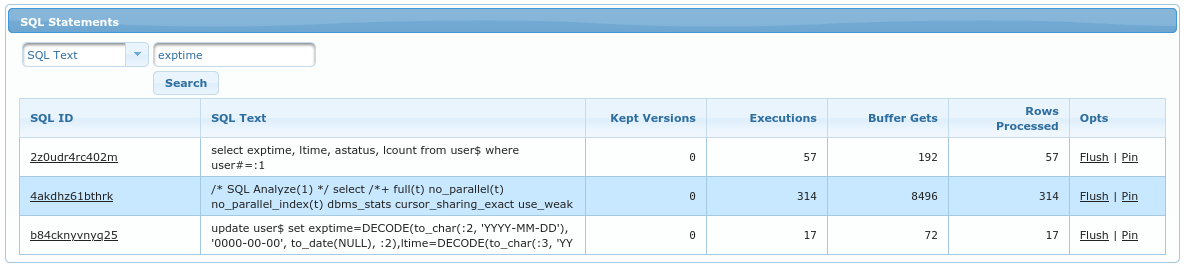
This page allows searching through all SQL Statements which are in SGA. It allows searching by:
SQL Text- any part of sql text. Note that whatever you enter has appended and prepended%(forLIKEoperator)SQL ID- bysql_idHash Value- byplan_hash_valuePinned Only- display only the SQLs that are currently pinned in memory
Results table has following columns:
SQL ID- sql_id; it contains a link toSQL Detail.SQL Text- first part of sql text (if it is too long). You can put cursor on the text and wait second - tooltip should pop up and display complete SQL.Kept Versions- Amount of cursors kept in memoryExecutions- Number of executions since last hard parseBuffer Gets- Amount of buffer gets since last hard parseRows Processed- Amount of rows processed since last hard parseOpts- There are two options:flush(which will cause this sql_id to be flushed from SGA and thus require hard parse on next execution) andpin(to make sure that sql_id won’t age out of memory).