Enable MCP
In GUI (Repository -> Configuration -> MCP User) create a MCP user if it does not yet exists:
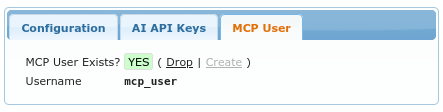
Under the hood, this creates a dedicated Postgres user, which has read only access to the database. MCP implementation will use such read only connection when performing queries on performance related data.
Generate API Key
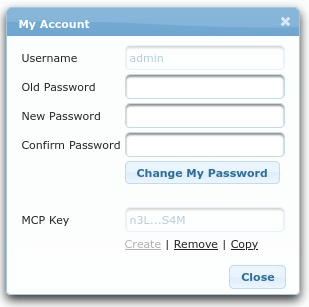
Each administrator can generate his/her own “MCP Key”, which will be used to authenticate AI agent to APPM. Users, who are not administrators, cannot generate such keys, because MCP has read only access to complete repository.
The dialog where you can create/remove your API keys is accessible from the top right corner, by clicking on your username.